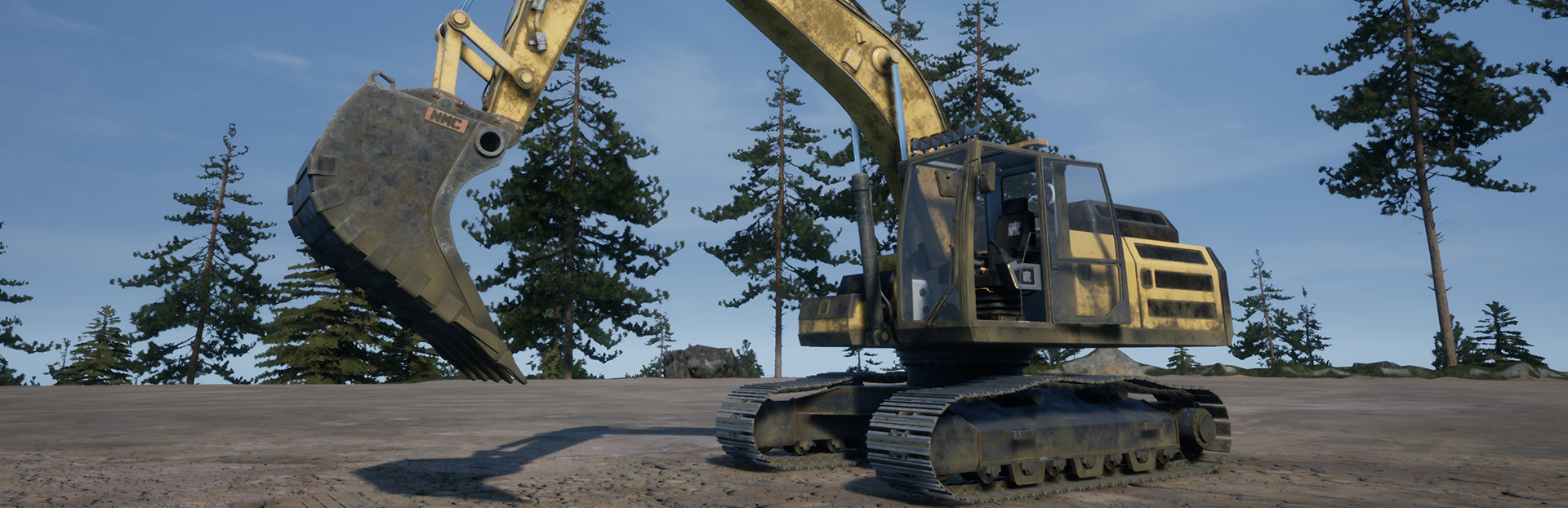
Beta Hotfix Update!
Hello everyone and happy friday!Team has worked another patch of fixes and improvements! There will be more fixes addressed and big thank you for everyone who has helped us finding bugs during beta testing ! Remember this is optional Beta update and it is being polished thanks to those who wish to be part of beta testing and reporting. We remind to always send in bug reports and huge help is if you can describe issue as detailed as possible. Including game version ( you will see it on main menu , usually like V0.35.5511 for example) How it happens? What causes it. How to duplicate it. If issue is vehicle(s) , which one?. Also your discord/steam name or email so we can reach out to you If necessary for additional info. You can find link to bug report in game menu or use Bug Report Link .If you wish to play beta branch and try it out , here is how to do that: 1. Right-click on "Out of Ore" in your Steam library and select Properties. 2. In the Properties menu, click on Betas from the left sidebar. 3. Select "beta - Latest beta for players" from the dropdown list. 4. The beta should begin downloading automatically. Fixes that we have done today : Fixed issue with company funds conflict with land info in dashboard Fixed issue where Sell points didn't give player correct Vendor Sell Price Fixed 8000 series excavator cabs to be more forward Fixed Attila EW200A B100 not being able to attach equipment Increased "skip day" with placeable bed from 6:00 to 8:00 Adjusted 4WD pickup gear changing uphill Increased amount of material placed from player hand Increased how fast player can place material from hand by holding down the action button Adjusted color saturation on all mapsTweaked Fuel truck front suspension Reduced roughness for vehicle paint Improved performance when opening in game shop menuBest Regards,Christian & The Team
Hello everyone and happy friday!Team has worked another patch of fixes and improvements! There will be more fixes addressed and big thank you for everyone who has helped us finding bugs during beta testing ! Remember this is optional Beta update and it is being polished thanks to those who wish to be part of beta testing and reporting. We remind to always send in bug reports and huge help is if you can describe issue as detailed as possible. Including game version ( you will see it on main menu , usually like V0.35.5511 for example) How it happens? What causes it. How to duplicate it. If issue is vehicle(s) , which one?. Also your discord/steam name or email so we can reach out to you If necessary for additional info. You can find link to bug report in game menu or use Bug Report Link .If you wish to play beta branch and try it out , here is how to do that: 1. Right-click on "Out of Ore" in your Steam library and select Properties. 2. In the Properties menu, click on Betas from the left sidebar. 3. Select "beta - Latest beta for players" from the dropdown list. 4. The beta should begin downloading automatically. Fixes that we have done today : Fixed issue with company funds conflict with land info in dashboard Fixed issue where Sell points didn't give player correct Vendor Sell Price Fixed 8000 series excavator cabs to be more forward Fixed Attila EW200A B100 not being able to attach equipment Increased "skip day" with placeable bed from 6:00 to 8:00 Adjusted 4WD pickup gear changing uphill Increased amount of material placed from player hand Increased how fast player can place material from hand by holding down the action button Adjusted color saturation on all mapsTweaked Fuel truck front suspension Reduced roughness for vehicle paint Improved performance when opening in game shop menuBest Regards,Christian & The Team
Hello everyone!We have been working on fixing more of reports the community has sent to us and here is another hotfix! We will continue refining game as well fixing any bugs beta players have sent to us! Remember this is optional Beta update and it is being polished thanks to those who wish to be part of beta testing and reporting. We remind to always send in bug reports and huge help is if you can describe issue as detailed as possible. Including game version ( you will see it on main menu , usually like V0.35.5511 for example) How it happens? What causes it. How to duplicate it. If issue is vehicle(s) , which one?. Also your discord/steam name or email so we can reach out to you If necessary for additional info. You can find link to bug report in game menu or use Bug Report Link .If you wish to play beta branch and try it out , here is how to do that: 1. Right-click on "Out of Ore" in your Steam library and select Properties. 2. In the Properties menu, click on Betas from the left sidebar. 3. Select "beta - Latest beta for players" from the dropdown list. 4. The beta should begin downloading automatically. Fixes that we have done today : Adjusted some ore prices for more profitable processing down the production lineRemoved old placeable sell point and updated new sell point descriptions Fixed Ore Price menu to show correct vendor sell values Added scroll option to Ore Price menu Fixed issue where baggers fill meter gets stuck Increased larger baggers weights Corrected 20, 60, 60 series rock truck default rim color when spawning Fixed issue where character gets stuck on steel chairs Added key bind hints to cinematic drone to toggle vertical mode and to exit Fixed Attila EW200A B100 , Chariton EX500D B140 and EX300D B120 control conflict issues Fixed missing Focused Follow Camera mode on front shovel excavators Fixed dashboard not showing correct weight on sold oreWe will carry on fixing multiple other bugs we have received !Best Regards,Christian & The Team
Hello everyone!We have now fixed couple more bugs that has been reported, and will continue to work on rest of them ! Remember this is optional Beta update and it is being polished thanks to those who wish to be part of beta testing and reporting. Remember to always send in bug reports and huge help is if you can describe issue as detailed as possible. Including game version ( you will see it on main menu , usually like V0.35.5511 for example) How it happens/what causes it, how to duplicate it. if issue is vehicle(s) , which one? (not always that all same category vehicles have same issue). Also your discord/steam name or email so we can contact you If necessary for additional info. You can find link to bug report in game menu or use Bug Report Link .If you wish to play beta branch and try it out , here is how to do that: 1. Right-click on "Out of Ore" in your Steam library and select Properties. 2. In the Properties menu, click on Betas from the left sidebar. 3. Select "beta - Latest beta for players" from the dropdown list. 4. The beta should begin downloading automatically. Fixes that is addressed in this hotfix update so far: * Fixed Chariton EX500FS using truck key bindings instead of excavator* Fixed Bagger 693B, 694B and 695B seat not being placed inside the cab* Fixed issue where unlock levels was not displayed in the storeWe carry on fixing multiple other bugs we have received !Best Regards,Christian & The Team
Hello everyone!We've just released a small hotfix to address some of the issues reported by the community.We wanna say thank you to everyone who opted into the beta branch and helping us test the beta update. It helps us track down bugs and fix them faster!There is more that we are still working on and we encourage players who are playing Beta to send in their bug reports if they find something broken, not as it should or not working. Would be greatly appreciated if you could describe as detailed as possible when writing a bug reports. You can find link to bug report in game menu or use Bug Report Link .If you wish to play beta branch and try it out , here is how to do that: 1. Right-click on "Out of Ore" in your Steam library and select Properties. 2. In the Properties menu, click on Betas from the left sidebar. 3. Select "beta - Latest beta for players" from the dropdown list. 4. The beta should begin downloading automatically. Fixes that is addressed in this hotfix update so far: Fixed Tutorial not being able to place some conveyor elementsFixed issue where Quests didn't progress with sell pointsFixed Fuel Truck not being able to refill or used to fill vehiclesFixed "\" text in shop to appear more in centered when you buy itemsAdjusted Tweaked Steel Mesh Roof and Built Hydraulic Ram prices to match new pricing listVarious visual adjustments where foliage or terrain was poking out of roadsFixed Follow Camera on some vehicles not focusing on scoops and buckets There is more reports we have received and we are working on those reports as well ! Best Regards,Christian & The Team
Hello everyone!The long wait is finally over. Today we're making the next major update available to the beta branch!You can check out the newest trailer in Store page !This update brings a wide range of additions, improvements, fixes, and balancing changes across the game. From the brand new Moivaara map and progression updates to vehicle improvements, visual upgrades, quality of life features, and much more, this is one of the largest updates we've released so far.A lot that has been tweaked, added and changed, we have highlighted just some of the things. How to join the beta 1. Right-click on "Out of Ore" in your Steam library and select Properties. 2. In the Properties menu, click on Betas from the left sidebar. 3. Select "beta - Latest beta for players" from the dropdown list. 4. The beta should begin downloading automatically. Remember, as this is a beta version, we expect there may still be issues that haven't been discovered during internal testing. We encourage everyone who is participating in the beta update to explore the new content, test existing systems, and report any bugs, balancing issues, or unexpected behavior you may encounter. Your feedback plays an important role in helping us polish the update before its full release. You can find link to bug report in game menu or use Bug Report Link .Big thank you for your continued support, feedback, and bug reports. We hope you enjoy exploring everything this beta update has to offer. ⛏️One of the biggest additions in this update is the introduction of the brand new Moivaara map, a project we have been quietly working on alongside all the other improvements and additions included in this update.Moivaara map offers a completely new way to play Out Of Ore.A key feature of the new map is the land ownership system, allowing players to purchase and expand into new areas over time. Rather than having access to the entire map from the start, you'll gradually expand your operation by purchasing additional land as your company grows. Don't worry, every new company will begin with pre-purchased land, allowing you to get started right away.The map also introduces new shops and industrial sell points, giving players more options when purchasing equipment, materials, and where to sell their ore. Instead of relying solely on traditional sell point, you'll now be able to transport and deliver materials directly to various locations throughout the town industrial areas.Another major focus of this update has been improving the overall look and atmosphere of the game world.Across all maps, we've made numerous adjustments to lighting, post-processing, colors, materials, and environmental details to create a more vibrant and immersive experience. Daytime visuals have been updated with improved color grading and saturation, while the day and night cycle has received additional visual improvements to better represent different times of day.Work lights, vehicle lights, street lights, and other light sources have also received attention, helping improve both visibility and atmosphere during nighttime operations. In addition, we've updated various materials, textures, vehicle appearances, and environmental assets throughout the game to create a more consistent and polished visual experience.Highlights:Improved day and night post-processingIncreased daytime saturation and color balanceImproved lighting across all mapsUpdated work lights and placeable lightsUpdated production building and conveyor materialsImproved environmental details and atmosphereVarious terrain, foliage, and visual fixesNumerous visual polish improvements across all mapsImproved weather visualsAdded map icons for players, vehicles, businesses, shops, and points of interestImproved night and day time multiplier settingAdded new flashlightAdded new cinematic droneAdded settings for FPS and night time brightnessAdded ability to place grass materialTweaked player nametags how they fade depending from distance.Reduced amount of material placed from players hand Reduced size of items in player hand (paint bucket also now shows color you have equipped) Another major area of focus for this update has been the economy and progression systems.Prices can now change over time thanks to the introduction of dynamic pricing. Instead of every material always having a fixed value, market conditions can influence prices, creating new opportunities and encouraging players to think more strategically about what they produce, transport, and sell.We've also adjusted progression, unlock levels, production costs, and pricing across the game to create a smoother experience from starting out with a small operation to running a large industrial company. Alongside these changes, several management and quality-of-life improvements have been added to make it easier to track information and manage your business.Highlights:New dynamic pricing system (Material prices now change over time)Improved economy balancingUpdated production and building costs and unlock levelsNew and improved Mining OS menuImproved store sorting and navigationNew placeable sell pointsReworked BankImproved multiplayer role permissionsYou will notice improvements to the behavior of excavators, loaders, trucks, and other machinery throughout the game. This includes adjustments to digging mechanics, dirt and ore handling, bucket interactions, vehicle controls, gearbox behavior, and overall machine responsiveness. Our goal has been to make operating equipment feel smoother, more predictable, and a bit more realistic.We've also continued improving the visual side of the vehicle fleet, with updates to vehicle colors, paint finishes, lighting, and overall appearance. Highlights:Improved excavator digging behavior and terrain interaction and dirt handlingImproved loader digging and material handlingImproved paver material handling and placement heightGearbox adjustments across multiple vehiclesImproved wheeled excavator steering Tweaked trucks and rock trucks material dumping anglesTweaked compactor speed and terrain interactionUpdated vehicle colors, paint, and overall appearanceUpdated vehicle light spread and visibilityAdded additional lights to various vehiclesReduced windshield dirt and visual obstructions on multiple vehiclesVarious vehicle and machinery fixes and improvements Many community reported issues have been addressed in this update, alongside numerous fixes discovered during our own testing.Fixed issue with floating drill attachment display for clients (one of the oldest reported bugs)Fixed issue with character shadow duplicationFixed issue where automatic gearbox HUD was not displaying correctlyFixed dirt texture visibility issues from excavator cab viewFixed issue where players were able to walk outside the mapFixed issue where players could move company funds without the correct role permissionsFixed issue where trucks required extreme angles to unload dirt from the truck bedFixed bagger 681 conveyor animation issue when player exitsFixed issue where GPS did not save after game reloadFixed Item remains floating on cursor when inventory is closedFixed issue where load meter resets after game reloadFixed issue with rock trucks not shifting gears properlyFixed grader lights pointing correct directionsWhile Moivaara and this beta update represent a major milestone, there's still plenty more to come. We'll continue refining existing systems, addressing feedback, and working on new content as development of Out of Ore moves forward.Best Regards,Christian & The Team
Hello everyone! Welcome back to another Community Showcase!We hope everyone enjoyed the Development update news and shared little bit of insight to what's coming! There has been bit more that has been revealed on what's coming. Meanwhile lets dive into this weeks creative builds , moments and screenshots players have shared with community . As always, we hope these showcases can provide some inspiration for your own projects and future builds.Think you've built something worth showing off? Share your screenshots on Discord (#ooo-screenshots) or Steam and you might be featured in a future Community Creations showcase.Lets take a look at some of this weeks community creations : "Looking for the Update signal?" (Steam Link to original) by Mark_3000 "Maximizing storage space!" (Steam Link to original) by arcturus"I know exactly where everything is !" (Discord Link to original) by Qrf Roach"How Much Further?" "Yes." (Discord Link to original) by Bankard0311"One more tunnel wont hurt.. " (Steam Link to original) by WAR_88"Has anyone seen the new intern? ..." (Steam Link to original ) by IronNightKnight"World's largest driveshaft production facility" (Discord Link to original) by Neadayan Drakhon"Moving the mountain, day 153" (Discord Link to original) by phoenix1405"Just another busy day in the pit!" (Steam Link to original) by QuickyKnight"Somewhere out there is another project.. Just waiting" (Discord Link to original) by RazzerWe hope you enjoyed some of this weeks showcase! More to come next week! Best Regards,Christian & The Team
Hello everyone!We know many of you have been eagerly waiting for more news about the upcoming update, and we completely understand the anticipation.Team as put significant amount of work into this update, and it is now in the hands of our testers who are helping us identify areas that may still need adjustments, balancing, or critical bug fixes before it can be pushed out.At the same time, development hasn't slowed down. We have continued refining features, improvements, making additional tweaks, same time resolving both newly discovered as well as older bugs.We do not currently have a release date to share, but we're happy with the progress being made and it's getting closer to the next stage.Our goal is to ensure the update reaches players in the best possible state. Once we are satisfied with its stability and overall quality, we'll feel much more comfortable making it available on the beta branch for everyone to experience. We would like to share some of the things things that will be introduced in the next update while more is yet to reveal !Excavators and loaders have received big improvements to how they interact with terrain, improving digging behavior and dirt handling. The paver has also received a significant overhaul. Height adjustments now influence material application more effectively.Vehicle paint textures and color tones have been improved across the entire fleet, resulting in a more vibrant and consistent appearance. We have also improved first-person visibility across many vehicles by reducing window dirt and making adjustments that provide a clearer view from the cab.Truck tires have also received visual improvements, to better match the quality of the vehicles and environment.These are just few new things to except in next update, while other vehicle groups are also receiving improvements and tweaks at the same time . Loader with new visual improvements Vehicle lights, color improvements and how they look at nightHow paving looked before and how we expect it to work with improved paver Ground interaction now feels more natural and less arcade-like when operating excavators.(the pile was already dumped scoop on the right picture) A huge amount of progress has been made on the overall visual quality of the game world, and this area of development is now approaching its final stages.Both daytime and nighttime visuals have received extensive adjustments, with a strong focus on improving atmosphere, immersion, and overall visibility. We have also improved some player things in game such as:Player holding ore in hands ( No more Hulk smash) Massively reduced ore amount dropped from players hands to the ground ( allows even better fine tuning small areas that need just a tiny drop of dirt ) You will be able to visually see what color of paint player is holding in hands Player has now updated flashlight to navigate in the night hoursAnother thing that you can expect in new update is something many of you have requested a long while: Ability to add grass! Yes, no more messy areas that you cant hide. We have more in this category as well being worked on and we will take closer look in the next news!Improved work lights and how they would brighten up loading areas at nightAnother example how new improvements affect player worldPlayer reworked and resized paint and dirt ( also how much material can player place to the world) No more messy dirt spots that cant be fixed Alongside all the larger development work, bug fixing remains a constant priority. Here are just some of the bugs we have recently tackled:Fixed bagger 681 conveyor animation issue when player exits Fixed issue where GPS did not save after game reloadFixed Item remains floating on cursor when inventory is closedFixed issue where load meter resets after game reloadFixed issue with rock trucks not shifting gears properly Fixed Sandvik trucks missing lightsAs always there's more fixes that's done thanks to players sending their crash reports, bug finds and other abnormalities from game !REMEMBER: If you encounter any issues, visual glitches, gameplay problems, or anything else that doesn’t seem right, please continue reporting them. Even smaller reports, crashes, errors and details can help us track down problems and improve the overall experience for everyone. You can also report bugs here: Bug ReportWe will also continue our weekly Wednesday Community Creations showcases, where we highlight some of the amazing screenshots, builds, projects, and moments shared by the community.All you have to do to have builds features is post them on Steam screenshots or discord in #ooo-screenshots channel We know its been slow with posts on other platforms but we will try to improve and provide more content there as well. Remember, if you want to see your world's screenshots & clips featured on our TikTok account, "Out Of Ore," use the hashtag #TIKTOKPOST when sharing it in the Discord group ooo-screenshots.The current roadmap is still very much relevant and remains an important part of our long-term plans. However, as development progresses, we also want to improve how information is presented and keep the roadmap updated in the future to better reflect the current state of development. We don't currently have an ETA for when we'll present the updated roadmap, but rest assured that nothing has changed regarding our long-term goals for the game. We would also like to mention that many community suggestions are already part of our internal planning and long-term development goals. In many cases, it's simply a matter of timing and making sure the necessary foundations are in place before implementing them.We will keep all players up to date what's coming and what are we working on ! You can also find our official links and community platforms below.Our Discord TikTok Instagram YouTubeBest Regards,Christian & The Team
Hello everyone! Its time for another weekly Community Showcase!It's once again time to highlight some of the awesome screenshots, builds, and moments shared by the Out of Ore community.Every week brings something different, and that's what makes these showcases so much fun to put together. There is so many creative players posting their screenshots and its interesting to see what the community comes up with next. We've also got a lot of progress done for next update and we're looking forward to sharing it in the next development news very soon.As always, we hope these showcases can provide some inspiration for your own projects and future builds.Think you've built something worth showing off? Share your screenshots on Discord (#ooo-screenshots) or Steam and you might be featured in a future Community Creations showcase.Now its time to take a look at some of this weeks community creations : "Just a small workshop" (Steam Link to original) by Shifft "TI left you alone for 3 minutes.." (Steam Link to original) by Jogando"The conveyor guy was left unsupervised.." (Discord Link to original) by KillerXXD"Little lightning wont stop the work" (Discord Link to original) by FloorSauce"She should be up and running by monday " (Steam Link to original) by MR Rc"Just a "small" house" (Steam Link to original ) by Serge59000"Welcome to industry city!" (Discord Link to original) by Qrf Roach"I hope that dam holds.." (Discord Link to original) by Psychoactive"Just getting started.." (Steam Link to original) by _ProToughGamer_"When excavator has OCD" (Discord Link to original) by Dexter WateWe hope you enjoyed some of this weeks showcase! More to come next week! Best Regards,Christian & The Team
Hello everyone! Welcome back to another Community Creations showcase!Once again, we've picked out a couple of awesome screenshots and creations from the community to share with everyone on this weeks showcase. We loved your feedback from previous one and would like to continue this series, giving everyone something to enjoy while we continue working on upcoming news and update.A big thank you to everyone who continues to share their creations with us. We love seeing what you build, and we can't wait to see what comes next. As always, we hope these showcases can provide some inspiration for your own adventures, projects, and future builds. If you’d like your creations to be featured in future Community Creations posts, make sure to share your screenshots with us on Discord in the (#ooo-screenshots channel) or through Steam screenshots.Now lets take a look at some more of this weeks community creations : "Meanwhile somewhere in the Arctic..." (Discord Link to original) by Razzer "I hope that dam holds." (Steam Link to original) by Killerelch"5 minutes after letting new guy behind the wheel .. " (Discord Link to original) by WAR_88_"When night shift starts" (Steam Link to original) by SoS"Proper airflow is important!" (Steam Link to original) by Shifft"Just loader enjoying sunset after long day of work" (Discord Link to original ) by Netts"this is what 13k manhours looks like!" (Discord Link to original) by Splitintwo"Luxurious sorting facility" (Steam Link to original) by SMOK"From cabin to corporation" (Steam Link to original) by Twisted DC"OSHA would like a word" (Discord Link to original) by Alfred_PeabodyWe hope you enjoyed some of this weeks showcase! More to come next week! Best Regards,Christian & The Team
Hello everyone and welcome to our very first Community Creations showcase!One of our favorite things is seeing what all of you are able to create in Out of Ore with the resources available in the game. There are so many creative players sharing their work on Discord and Steam screenshots, and there’s always something new and awesome popping up. So it would be only fair to share this with everyone. Whether it’s huge mining sites, creative city builds, beautiful views, crazy industrial setups, or unexpected moments with friends, the community constantly surprises us with what people create in the game.While a lot of work is constantly happening behind the scenes, we also want to take a moment and highlight the amazing things players can building and the stories they create out in the world of Out of Ore. We hope that this will become a nice way to share more community moments between development news and other updates.Hopefully these showcases can also give old and new players some ideas, inspiration for their own projects, or maybe even motivation to try something new in their worlds.If you’d like your creations to be featured in future Community Creations posts, make sure to share your screenshots with us on Discord in the (#ooo-screenshots channel) or through Steam screenshots. Now let’s take a look at some of the creations and screenshots shared by the Out of Ore community!"Just one more bucket" (Steam Link to original) by meteoconner"Bulkcarrier loading at Polar Port" (Steam Link to original) by arcturus"Your Package has been Delivered" (Discord Link to original) by TmanjoeR"Some build mining sites, Some build cities!" (Discord Link to original) by Local Experimentalist UK"I know a shortcut" (Steam Link to original) by omako"Beautiful bridge to factory" (Steam Link to original ) by Pekelnik"Just one more washplant, please" (Discord Link to original) by Psychoactive™ "Below ground level "(Steam Link to original) by WAR_88"Moving mountains" (Steam Link to original) by \Astra16V"Needs just a touch a paint" (Discord Link to original) by operatorWe hope you enjoyed some of this weeks showcase! More to come next week! Best Regards,Christian & The Team